Users
Account Security
Access Path
Account Settings -> Safe Setting
Improve Security Level
- Enable two-factor authentication
- After enabling it, you will need to receive a verification code when logging in to prevent others from accessing your account
- Disable API token
- After disabling it, API calls will not be supported, which helps prevent misuse by others. We recommend enabling it only when needed
- Improve password security
- Change your password regularly
- Set a strong password
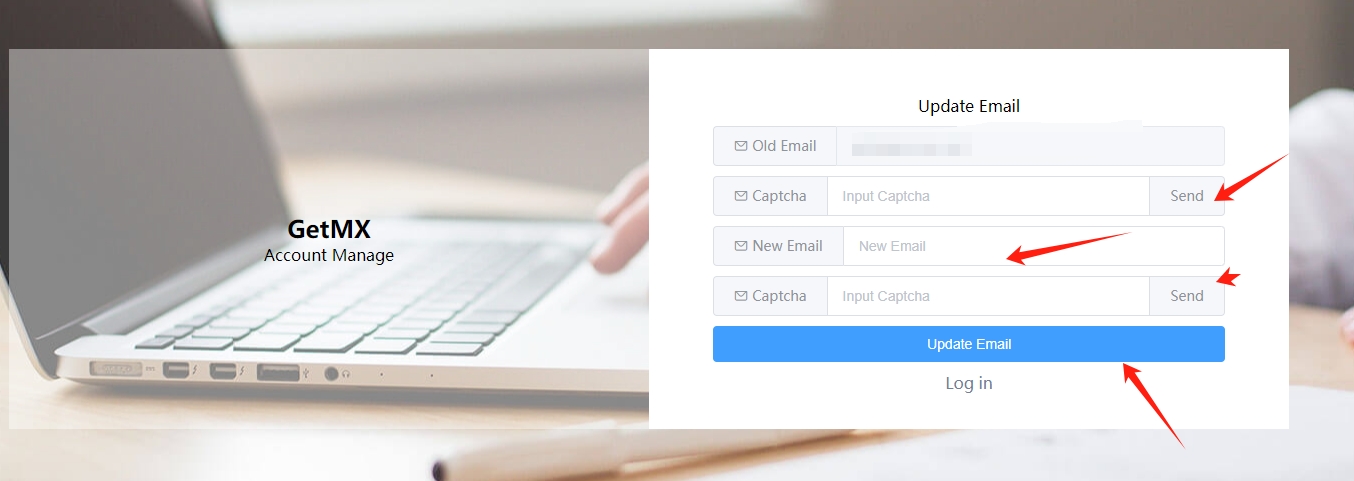
Change Email Address
- You can click Change Email in the upper-right corner of the GetMX dashboard to update it directly
- Make sure to use an email address that can receive emails
Delete Account
Use the email address bound to your GetMX account to send an email to [email protected] with the note “Delete account”. Customer support will delete the account within one business day
- Before sending the email, please make sure you have deleted the domains and multi-domain paid groups under your account
- Account deletion is irreversible
- After deletion, all information in the account, including domains and mailboxes, will be deleted as well
Security Email
- The security email is unrelated to service usage and is optional. It simply adds an extra layer of protection to your account.
- The security email is mainly used for two functions
- Two-factor authentication for login
- Receiving system messages
- Two-factor authentication for login: If two-factor authentication is enabled for the account, or login risk control is triggered, you can receive a verification code via the security email to log in
Receiving system messages: System notifications such as paid plan expiration reminders, full mailbox storage, and mailbox exceptions - After logging in from the official website homepage or the admin dashboard, click Settings in the upper-right corner -> Set Security Email https://auth.cuiqiu.com/#/recovery-mail
- The security email is very important. You can use it to change your login phone number, password, and more. Please make sure the security email is used only by you.
- Only personal email addresses are supported, such as Gmail/Yahoo/Outlook/iCloud/QQ/163/126/Foxmail and other personal mailboxes.