Sub-domain Catch-all Rule Configuration
Path
Dashboard -> Domain Email -> Email Manage -> Sub-Domain
What is sub-domain catch-all receiving?
Before learning about sub-domain catch-all receiving, you need to understand what a sub-domain is.
- mail.com is a top-level domain, sub.mail.com is a second-level domain, and dev.sub.mail.com is a third-level domain. Both second-level and third-level domains are sub-domains of mail.com. Sub-domain catch-all receiving is different from regular catch-all receiving; it is domain-based catch-all receiving.
Sub-domain DNS records?
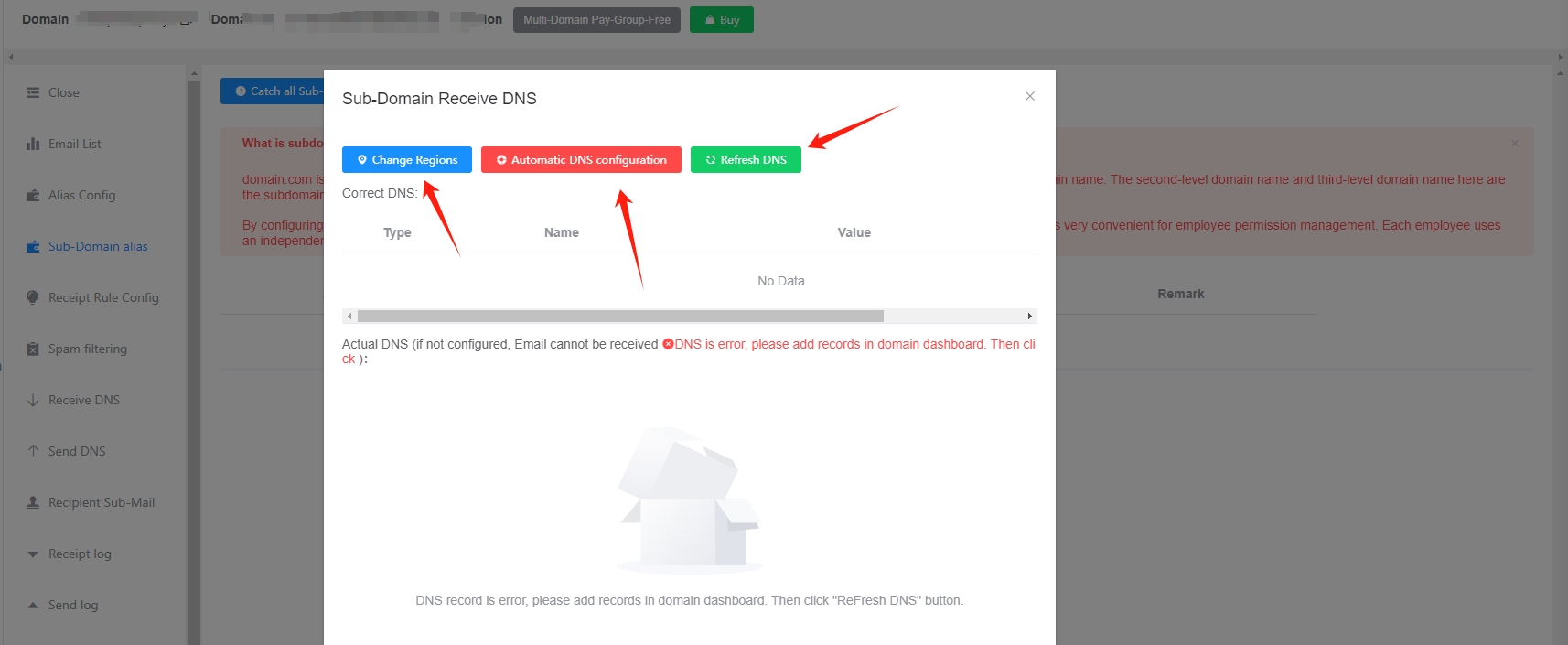
Before using sub-domain catch-all receiving, you need to configure sub-domain DNS records first. This setup is different from receiving DNS records and must be configured separately.
Click the buttons in order: Sub-Domain receiving DNS configuration -> Change Regions -> Automatic DNS configuration -> Refresh DNS
The Automatic DNS configuration above can also be completed manually in your domain management backend.
Sub-domain DNS records require a wildcard *. Only DNS platforms with full-featured support, such as godaddy and cloudfare, support this. If the platform you purchased does not support it, please move your domain DNS records to a supported DNS platform, or configure DNS records for each sub-domain separately (use one sub-domain, add one sub-domain DNS record).
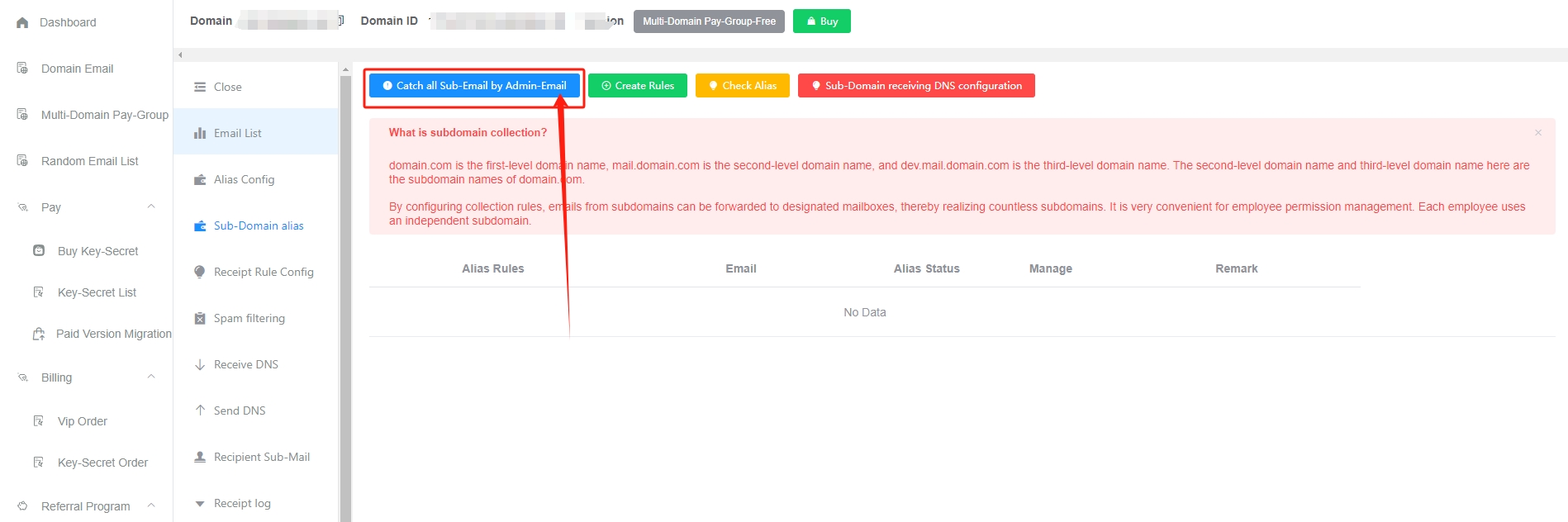
How to enable catch-all receiving by the admin mailbox?
Click the blue ``Catch all Sub-Email by Admin-Email```` button
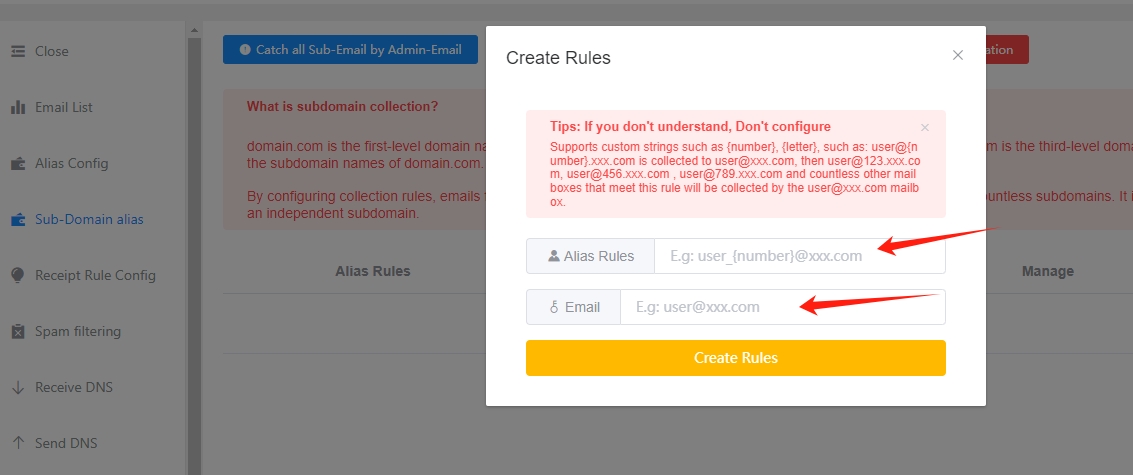
How to customize catch-all rules
Click the green Create Rules button
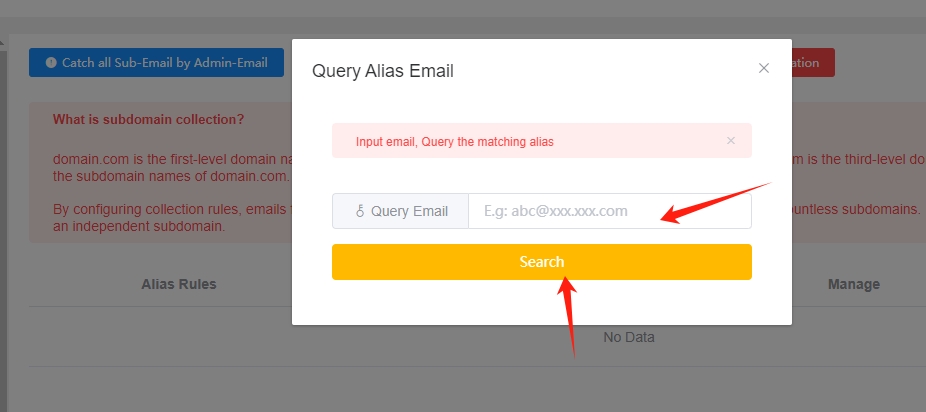
View catch-all rules
Priority issues
If a sub-domain used for catch-all receiving has already been added to GetMX separately, priority issues will occur. For example, sub-domain catch-all receiving is enabled under mail.com, but sub.mail.com is also added to GetMX. In theory, this situation should be avoided to prevent management confusion. If you must add it this way, the priority rules are as follows:
- Receiving: the corresponding mailboxes under both domains will receive the email
- Receiving quota: uses the quota of sub.mail.com
- Configuration: uses the configuration information under the sub.mail.com domain, such as spam filtering, SPF, receiving rules, etc.
Catch-all rule conventions
Custom characters
{all}- Matches everything, such as: zhangyi2022, 138881909liu, 123456, zhangyi
{number}- Matches numbers, such as: 2021, 13888888888, 1, 666
{letter}- Matches letters, such as: zhangyi, weixin, test
Example
For example: set {all}@{all}.mail.com to be caught by [email protected]. Then countless mailboxes that match this rule, such as [email protected], [email protected], and [email protected], will be caught by the [email protected] mailbox.
Check catch-all receiving
Click the yellow Check Alias button
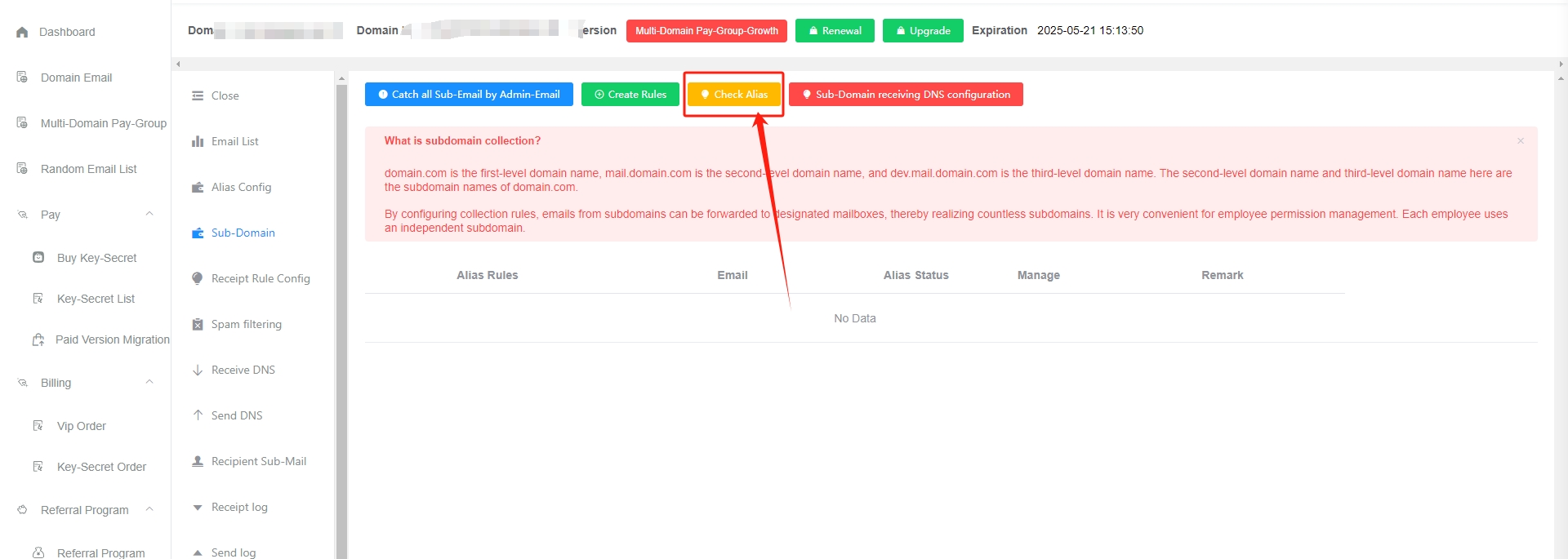
Enter the receiving mailbox to query the matched rule and the mailbox being caught
Notes
- Sub-domain catch-all receiving is currently supported only on the Professional plan and above
- When using
{all}, it matches everything, so you cannot add{number}or{letter} {letter}or{number}should preferably be used only once in a rule to avoid confusion and make management easier- Receiving troubleshooting currently does not support manually configured sub-domain catch-all receiving. If you have receiving issues, please troubleshoot manually
- If the added domain is already a sub-domain, sub-domain catch-all receiving cannot be enabled. Catch-all receiving can only be enabled for root domains