Catch-all Rule Configuration
Access Path
Dashboard -> Domain Email -> Email Manage -> Alias Config
What are catch-all rules?
Catch-all means a rule where one mailbox receives mail for another mailbox.
After catch-all is enabled, emails sent to all prefixed sub-mailboxes under the current domain will be received by the catch-all mailbox. You do not need to create them one by one; it is equivalent to having countless sub-mailbox accounts, with mailbox prefixes defined by you.
What is admin mailbox catch-all?
First, let’s look at two mailbox definitions:
- An email address contains two parts: the mailbox prefix and the domain, such as [email protected], where dev is the mailbox prefix and mail.com is the domain.
- GetMX mailboxes are divided into two types: admin mailboxes (also called administrator mailboxes) and sub-mailboxes. For example, [email protected] is a sub-mailbox, and [email protected] is an admin mailbox.
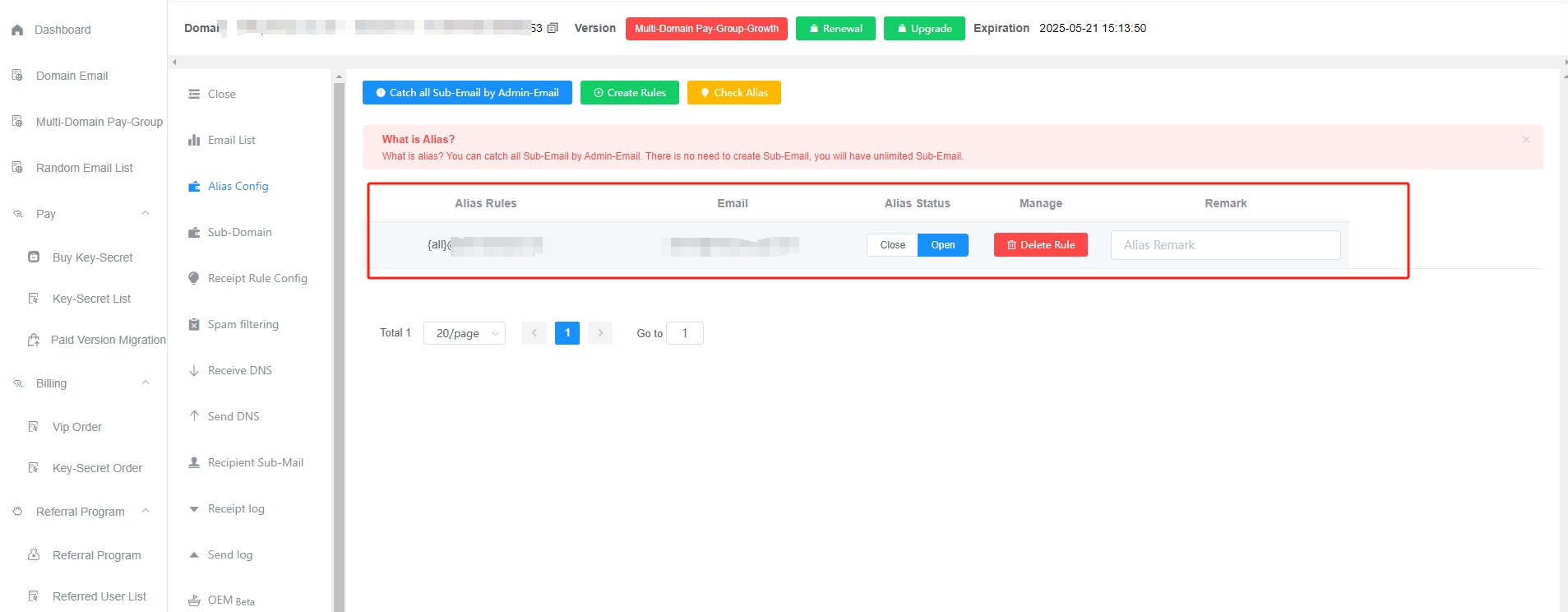
Admin mailbox catch-all means collecting all emails for sub-mailboxes into the admin mailbox. After admin mailbox catch-all is enabled in the GetMX dashboard, even if a sub-mailbox has not been manually created in the GetMX dashboard, emails for that sub-mailbox can still be received in the admin mailbox. If the sub-mailbox has been manually added, one copy of the email will be stored in both the admin mailbox and the sub-mailbox. This means you do not need to manually add sub-mailboxes one by one. You can simply enter any mailbox prefix when using the mailbox, and the emails for that sub-mailbox can be checked in the admin mailbox, enabling countless mailboxes.
Sub-mailboxes created through catch-all cannot log in separately and must be viewed in admin mailbox management. To log in separately, they need to be manually added one by one.
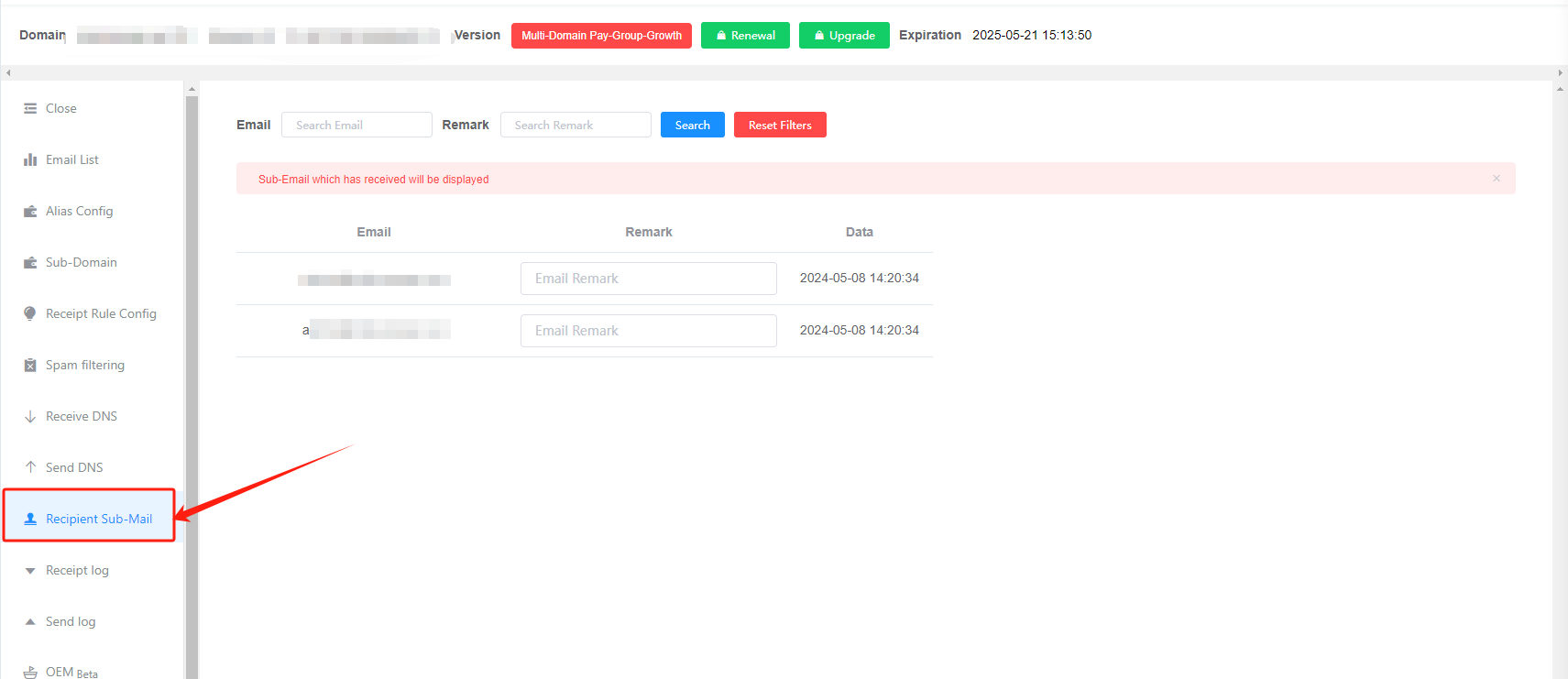
Sub-mailboxes are not created, but they are not virtual either. In Domain Manage—Recipient Sub-Mail, you can view all mailboxes that have been caught by catch-all.
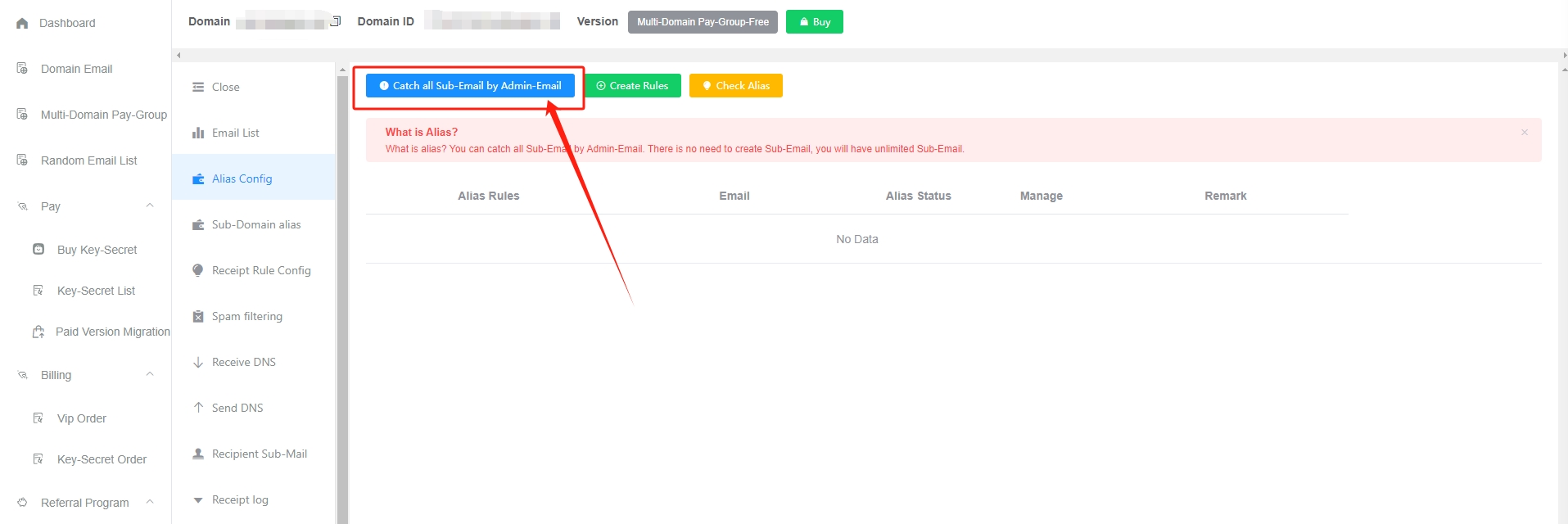
How to enable admin mailbox catch-all?
Click the blue Catch all Sub-Email by Admin-Email button
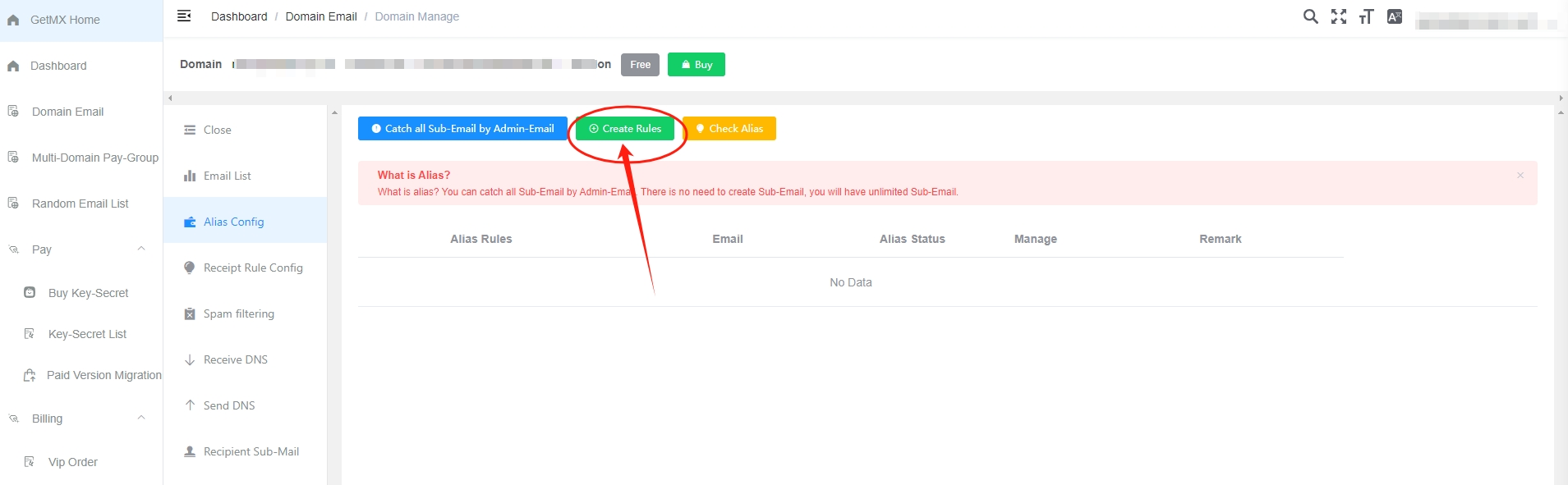
How to customize catch-all rules
Click the green Create Rules button
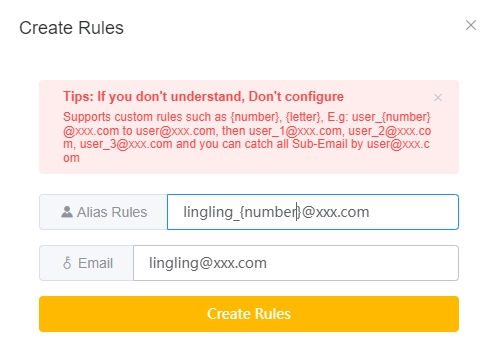
Catch-all rule conventions
Custom characters
{all}- Matches everything, such as: test, dev123, 138881909liu, 123456
{number}- Matches numbers, such as: 2021, 13888888888, 1, 666
{letter}- Matches letters, such as: dev, test
Example
For example: set sub_{number}@mail.com to be caught by [email protected]. Then countless mailboxes that match this rule, such as [email protected], [email protected], and [email protected], will all be received by the [email protected] mailbox.
- Matches letters, such as: dev, test
Check catch-all
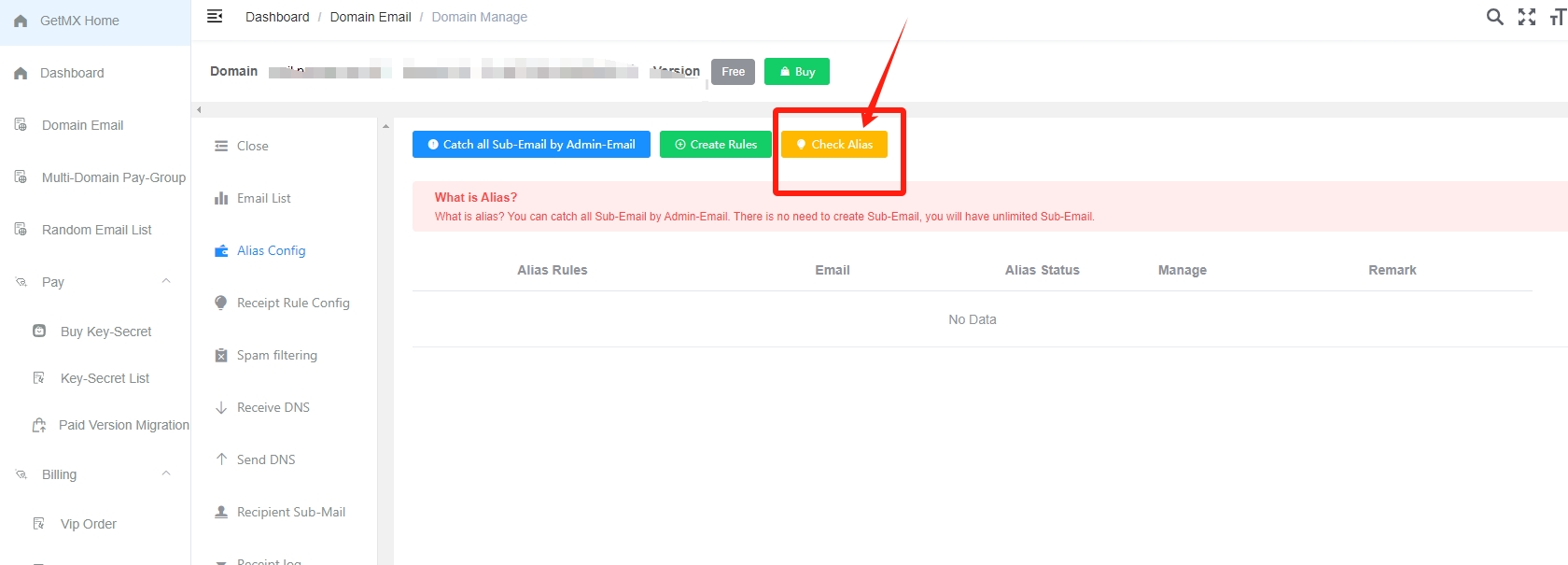
Click the yellow Check Alias button
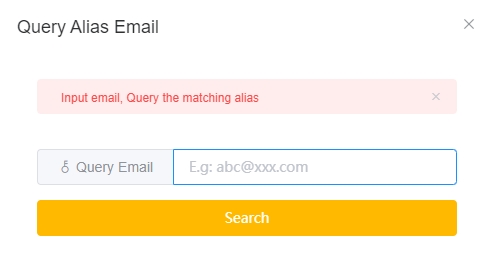
Enter the receiving mailbox to query the matching rule and the mailbox that will receive it. For example, if you query [email protected], you will see that [email protected] will be received by [email protected].
Catch-all sub-mailboxes
Click Recipient Sub-Mail
Sub-mailbox accounts with receiving records will all be displayed in Recipient Sub-Mail.
Notes
- The catch-all feature is currently supported only on paid plans.
- For cross-domain catch-all, please use Multi-Domain - Paid Group View: Multi-Domain - Paid Group Catch-all Rules
- When using
{all}, it matches everything, so you cannot add{number}or{letter}. {letter}or{number}should ideally be used only once in a rule to prevent confusion and make management easier.