User Guide
Open Platform API Documentation
Path
Dashboard -> Open -> Token Manage
Common Addresses
API Request Address
- Growth: https://domain-open-api.getmx.com
- Scale: Scale uses a dedicated server. You need to obtain it in the admin backend. The path is
dashboard->domain-email->email-manage->api-information. See the screenshot below: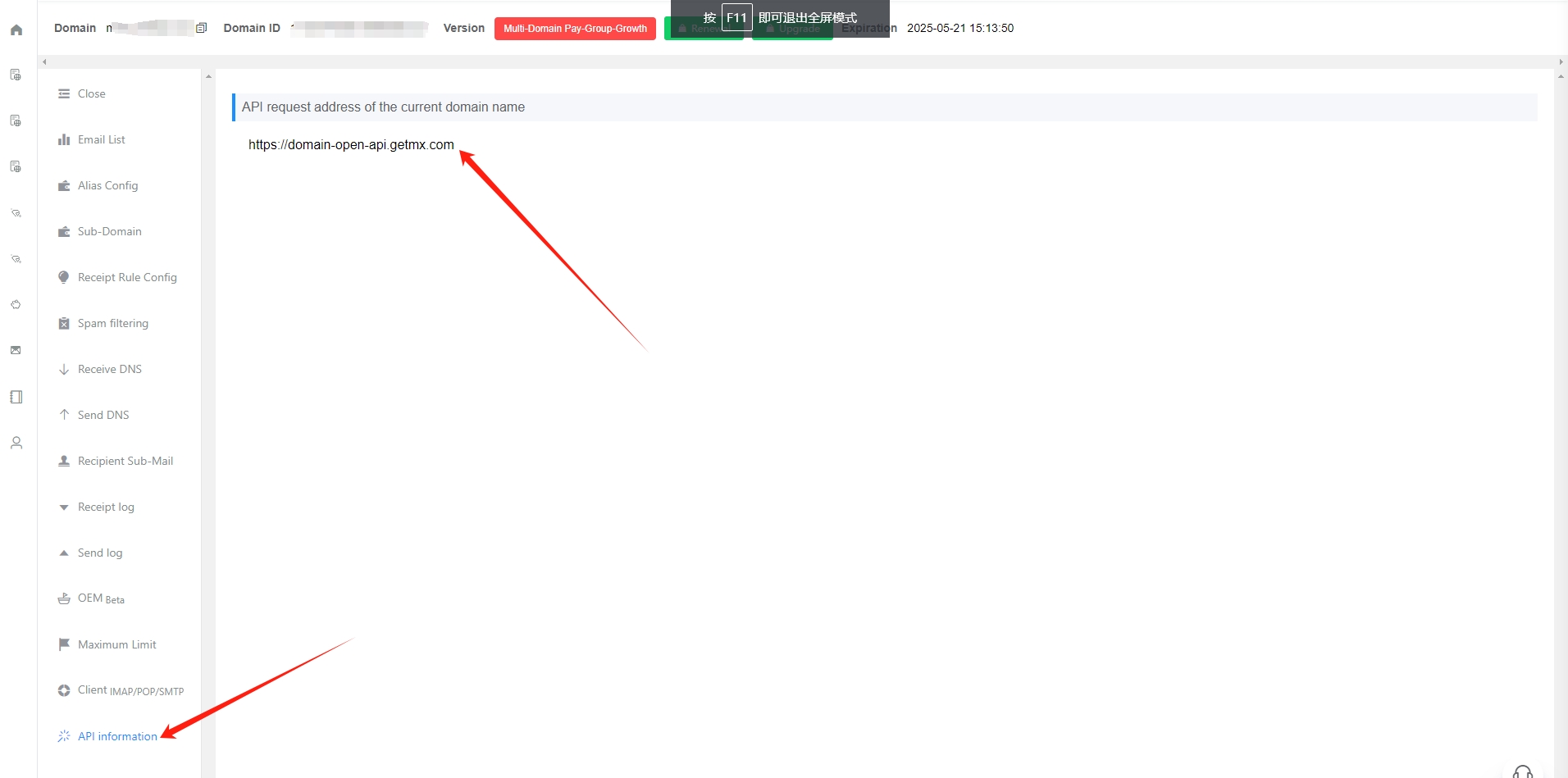
- Single-Domain Scale: the API request address is different for each domain
- Multi-Domain Scale: all domains under the same paid group use the same API address
Token
Generate Token
- Click the Generate Token link above
- Click the Reset Token button to generate a token for API requests
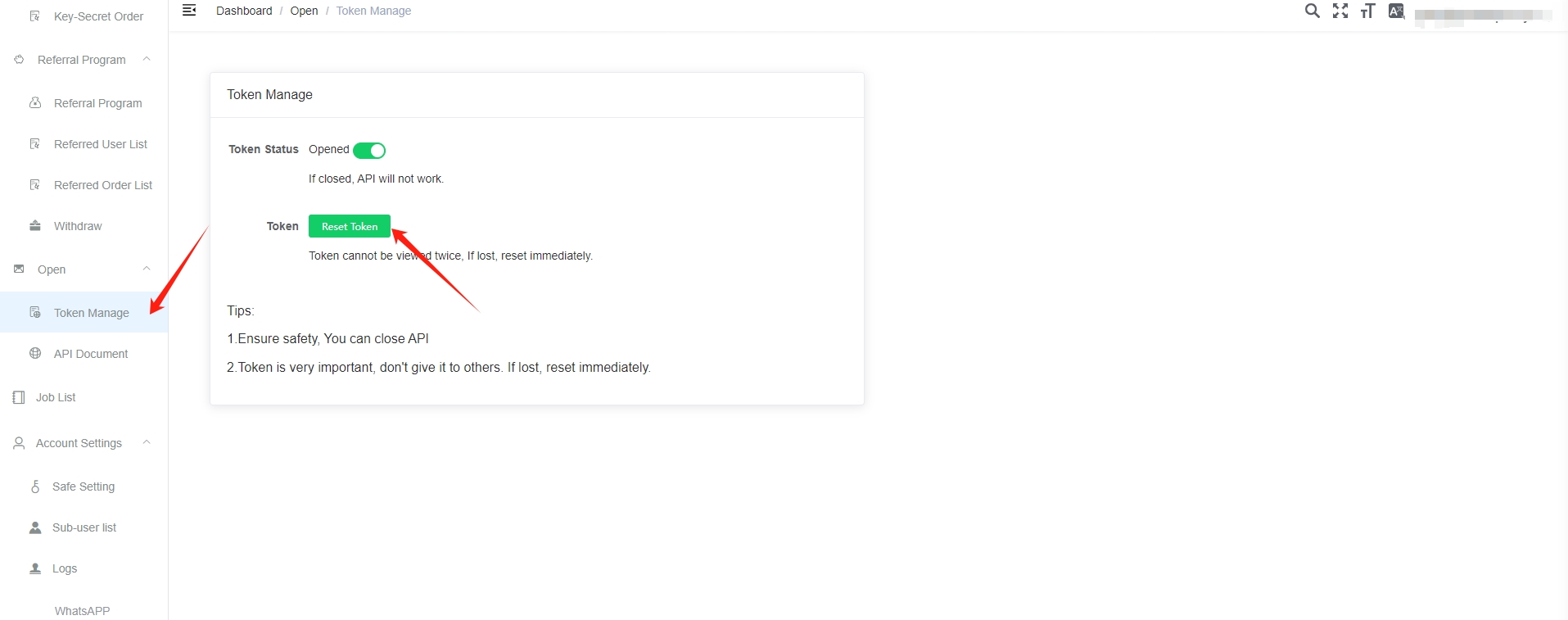
- Tokens can only be reset; they cannot be viewed again
- After resetting, the previous token becomes invalid immediately
Token Security
- To keep your data secure, you can keep token access disabled in daily use and only enable it when needed
- The token is very important. Do not disclose it casually, as disclosure may cause data loss. If you find that it has been leaked, reset it immediately.
FAQ
API request prompts that there is no token?
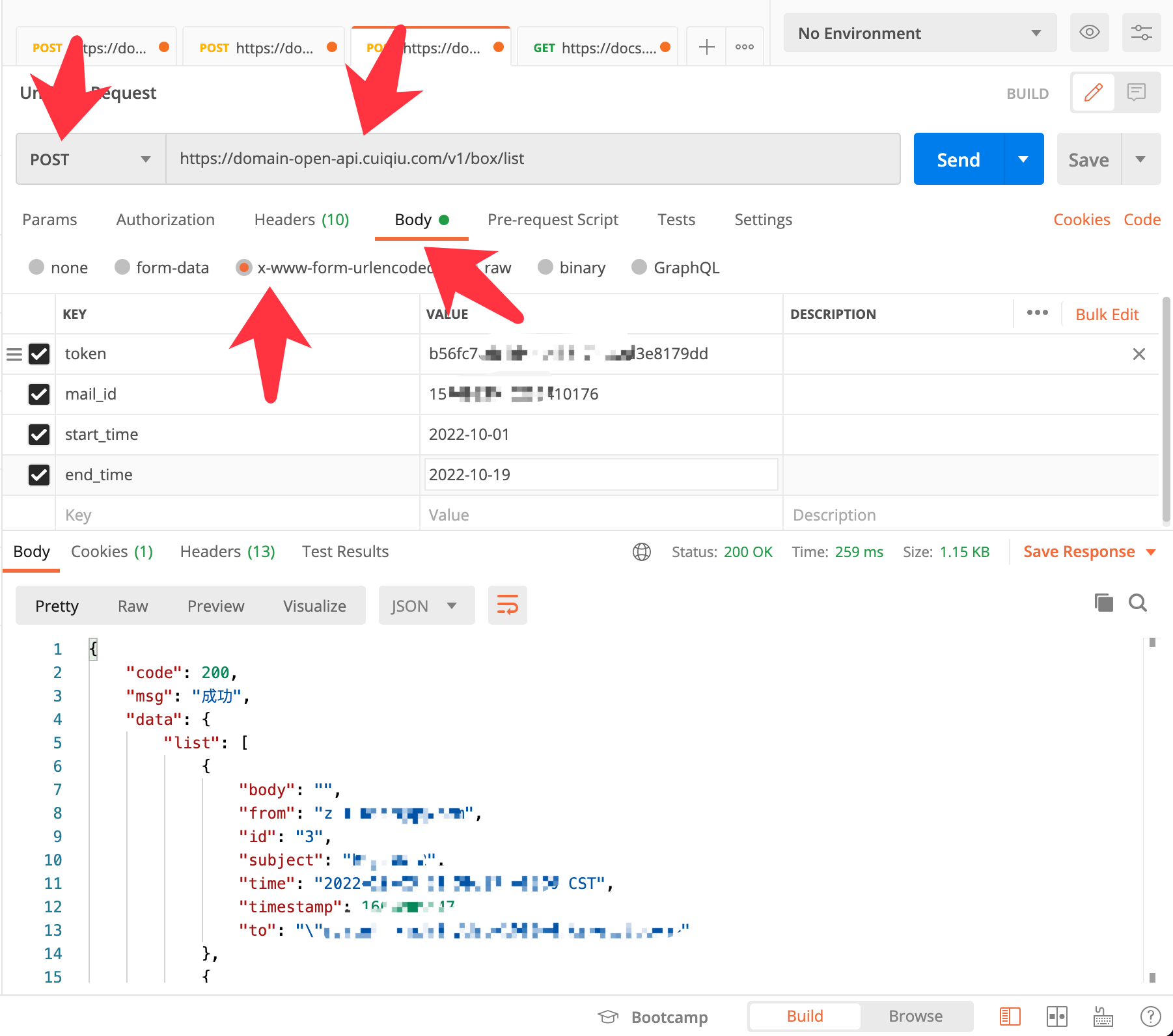
- Focus on checking these three items:
- POST request
- The request format is form
- Request parameters are sent in the form data. Depending on the language, they are not necessarily appended to the URL.
- Refer to the official demos provided in other languages. If it still does not work, download Postman and simulate/debug the request.
Why can’t I get emails through the API?
- Check the time setting. The API time selection uses days as the unit. If you select the current day, add one day to the date. For example, setting end_time to 2021-05-01 represents 2021-05-01 00:00:00. To request data for 2021-05-01, set it to 2021-05-02.