Purchase Guide
Buy key-Secret
Access Path
Pay -> Buy key-Secret
Tips
- The validity period of the purchased key-Secret starts from the time the key-Secret is used.
- If you need to pay for a
domain-groupordomain, you can choose to purchase directly. Click to view: How to directly recharge a domain or domain groupSteps
- Click
Buy key-Secret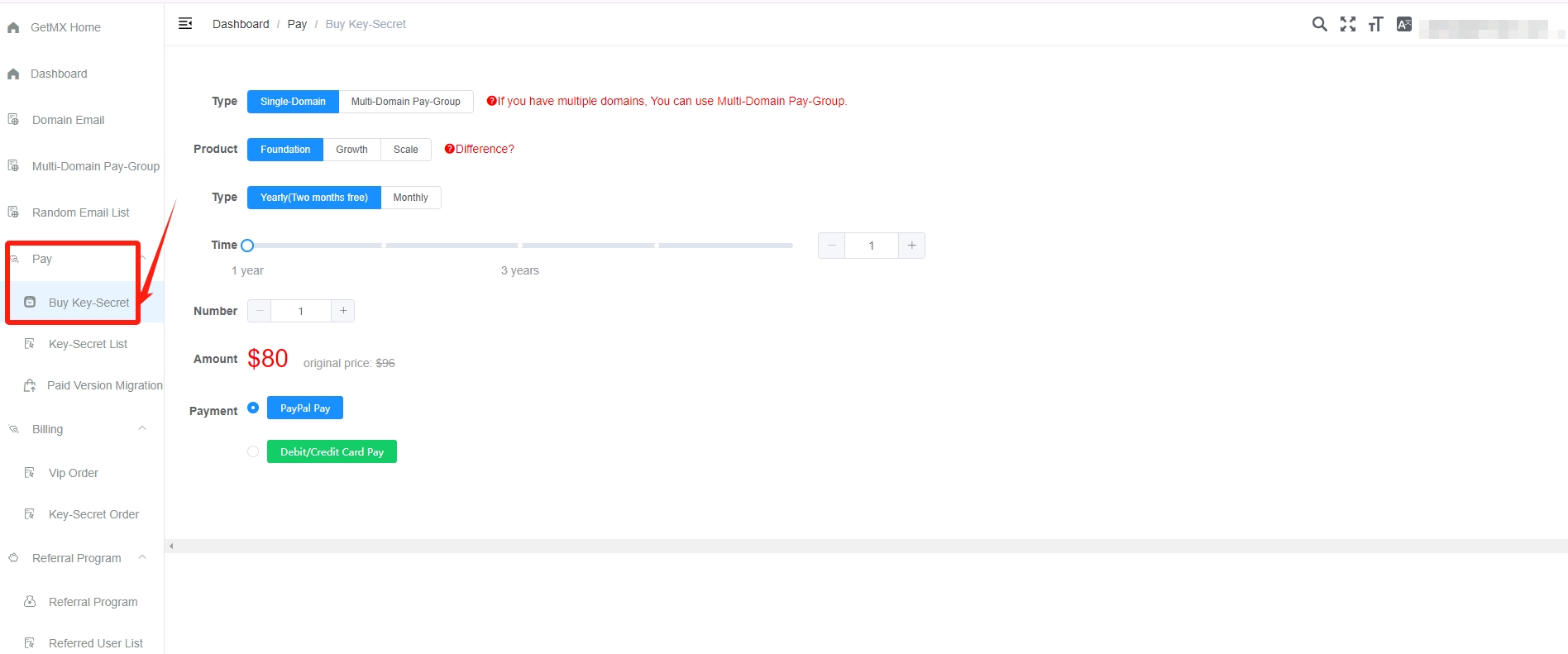
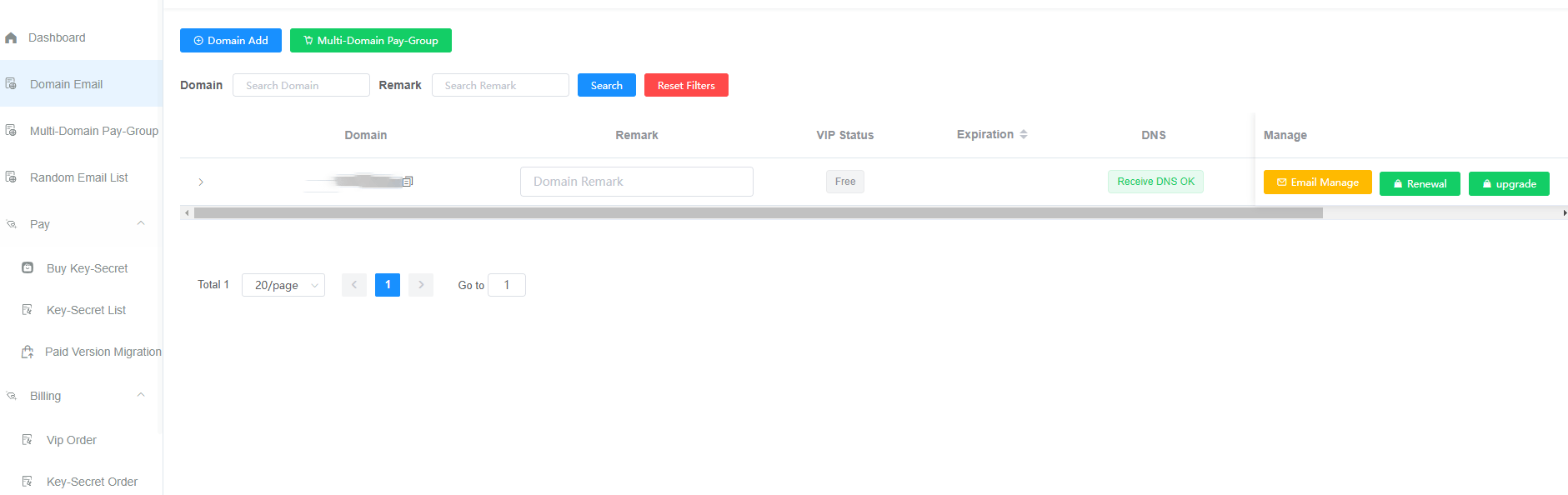
- Select the domain or domain group you want to purchase
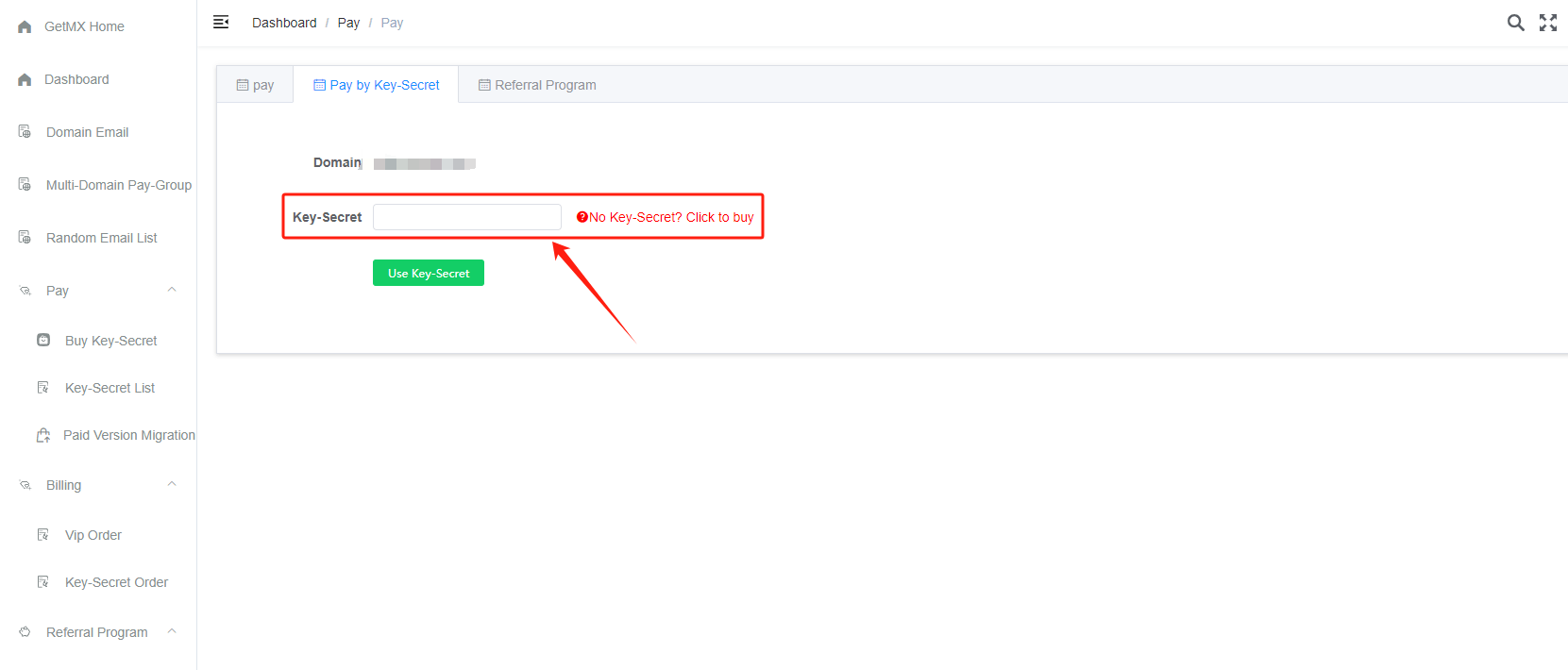
- Use the purchased key-Secret to recharge the domain or domain group
- If the key-Secret does not pop up after payment, you can view it in the
Key-Secret Listmenu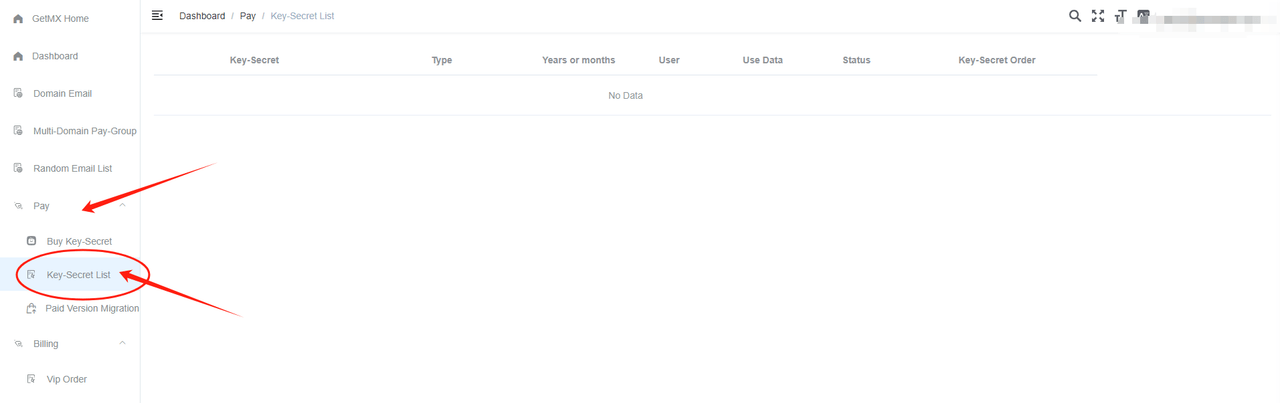
Pricing
Click to view pricing: Pricing - GetMX Domain Email
Paid Version Expiration
- After the paid version expires, it will be downgraded to the free version, and two email accounts will be retained
- Other email accounts will not be deleted and can be opened, but they will no longer be able to receive new emails. They will be restored after renewal
- If mail collection has been enabled, the mail collection feature will be automatically disabled
- Three days before expiration, an SMS reminder about the upcoming expiration will be sent; at expiration, a reminder that the service has expired and stopped will be sent
Upgrade/Downgrade?
Refer to Upgrade/Downgrade
The key-Secret is a one-time-use product and does not support paying the price difference to upgrade. You need to use the key-Secret first, then upgrade the corresponding domain or domain group